

Download Ask.com Toolbar – Fast, Customizable Browser Search Tool
Overview
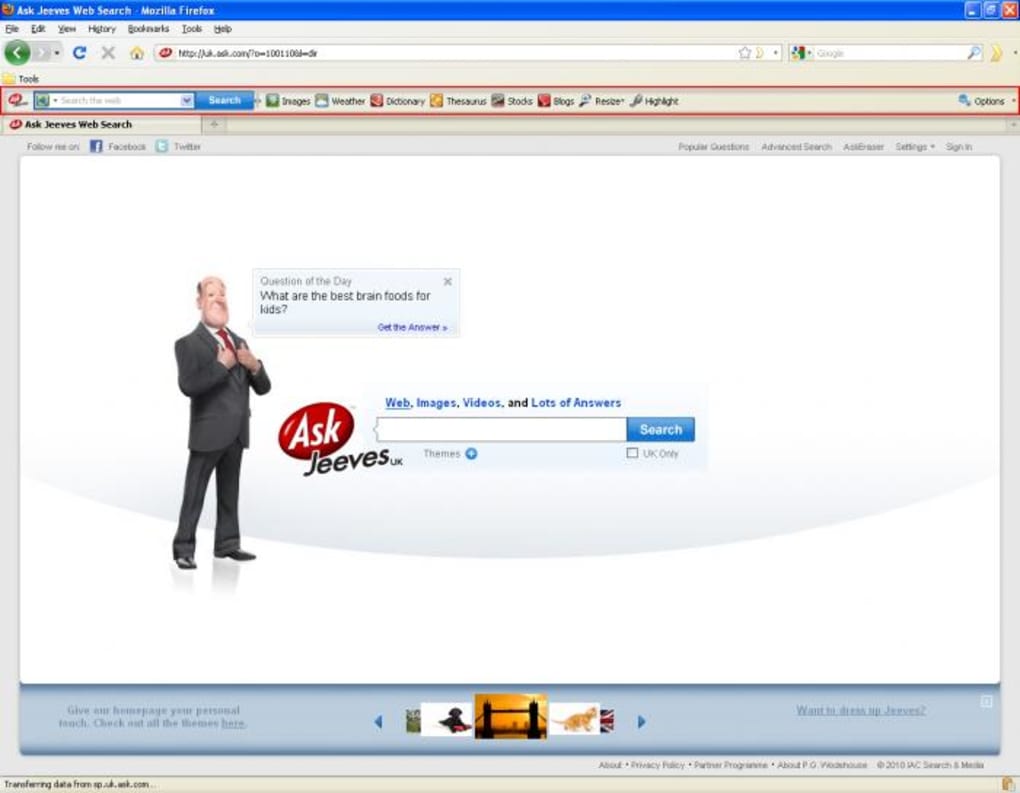
The Ask.com Toolbar brings the power of the Ask search engine directly into your browsing experience. Designed for both Firefox and Internet Explorer, this slim, well‑styled add‑on sits unobtrusively at the top of the browser window and offers instant access to a variety of search categories, including images, weather, dictionary, thesaurus, stocks, and blogs. The toolbar’s main icon links straight to the Ask.com homepage, while the integrated search bar lets you type queries without ever leaving the page you’re on.
Additional shortcuts let you resize the page, highlight text, and manage recent searches, making the toolbar a handy companion for anyone who values quick, context‑aware information. Although it doesn’t reinvent the wheel, the Ask.com Toolbar is a solid example of a well‑executed browser extension that enhances productivity without cluttering the screen. Whether you’re a casual surfer or a power user, the toolbar provides a reliable, free, and secure way to tap into Ask’s knowledge base without the need for a separate tab or window.
Key Features
- Direct Ask.com Access: One‑click icon takes you to the Ask homepage.
- Integrated Search Bar: Type queries directly from the toolbar, saving time.
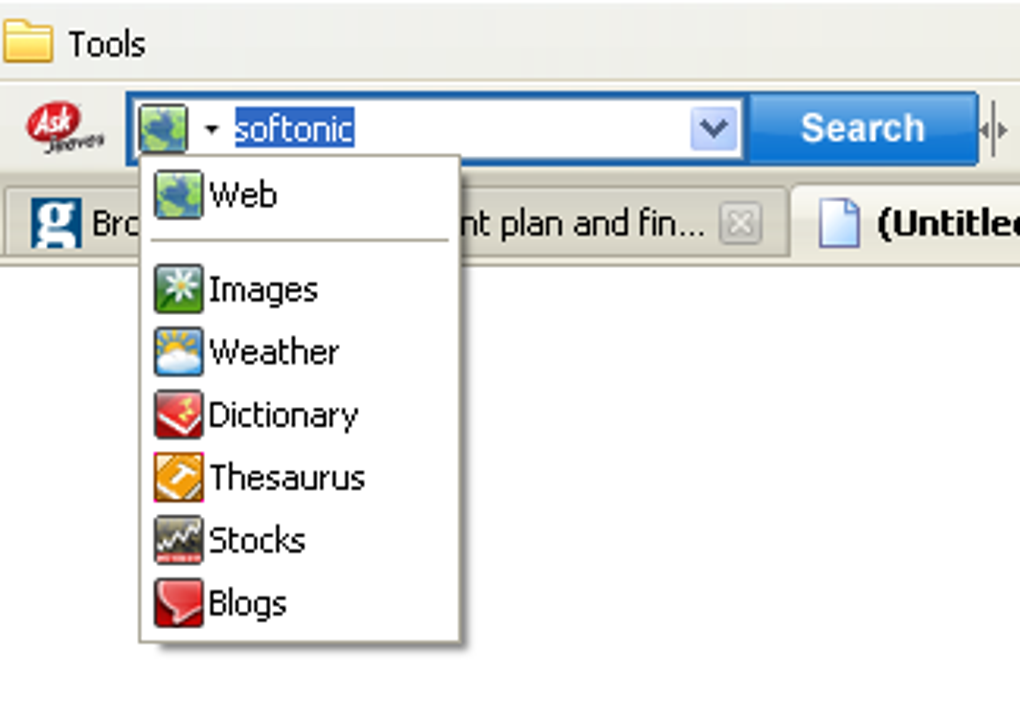
- Category Buttons: Instantly limit results to Images, Weather, Dictionary, Thesaurus, Stocks, or Blogs.
- Page Resizing Tools: Adjust the zoom level without opening the browser’s settings.
- Highlight Function: Highlight text on the page for quick reference (note: functionality may vary by browser version).
- Recent Search Management: Option to display or clear recent searches on exit.
- Customizable Layout: Choose which icons appear and their order to fit your workflow.
- Lightweight Design: Minimal impact on browser performance and memory usage.
Each of these features has been designed with simplicity in mind, ensuring that users can stay focused on their tasks while still having powerful search capabilities at their fingertips. The toolbar’s minimalist aesthetic keeps the interface clean, and the optional icons let you tailor the experience to your personal preferences. Because it’s built on the trusted Ask.com platform, you also benefit from safe, filtered search results that prioritize relevance and quality.
Installation, Usage & Compatibility
Installing the Ask.com Toolbar is straightforward. For Windows users, visit the official Ask toolbar download page and click the “Download for Windows” button. The installer will prompt you to confirm the addition to Firefox or Internet Explorer. After confirming, the setup wizard extracts the necessary files and automatically adds the toolbar to your chosen browser. Mac users can download the compatible version for Safari, although the primary support remains focused on Windows‑based browsers.
Once installed, the toolbar appears at the very top of your browser window. The first icon—shaped like the familiar Ask.com orange “?”—takes you directly to the search engine’s homepage. Next to it, the built‑in search bar invites you to type queries. Below the bar, a series of small icons represent the various search categories. Clicking any of these instantly filters your search, allowing you to retrieve images, weather forecasts, dictionary definitions, or stock quotes without typing extra keywords.
Compatibility is a crucial factor for any extension. The Ask.com Toolbar officially supports:
- Windows 10, 8, 7 (32‑bit and 64‑bit)
- Internet Explorer 9, 10, 11
- Mozilla Firefox 78 and later
- Limited Safari support for macOS 10.12 and newer (requires manual installation)
The toolbar does not currently support Chrome, Edge, or mobile browsers such as Android and iOS. Users of those platforms will need to rely on the standard Ask.com website or consider alternative extensions. Regular updates are released to maintain compatibility with the latest browser versions and to address minor bugs, ensuring a secure and stable experience over time.
Pros, Cons & Frequently Asked Questions
Pros
- Free and easy to download.
- Lightweight, with minimal impact on system resources.
- Instant access to multiple search categories.
- Customizable icon layout to match personal workflow.
- Secure connection to Ask.com, reducing exposure to malicious sites.
Cons
- No native support for Chrome, Edge, or mobile browsers.
- Highlight function may not work consistently across all pages.
- Limited configuration options compared to more feature‑rich toolbars.
- Occasional prompts to update the toolbar after browser upgrades.
- Older versions may conflict with newer Firefox add‑ons.
FAQ
Is the Ask.com Toolbar safe to use?
Yes. The toolbar connects directly to Ask.com over HTTPS, and the code is digitally signed by the developer, minimizing the risk of malware or data leakage.
Can I remove the toolbar if I change my mind?
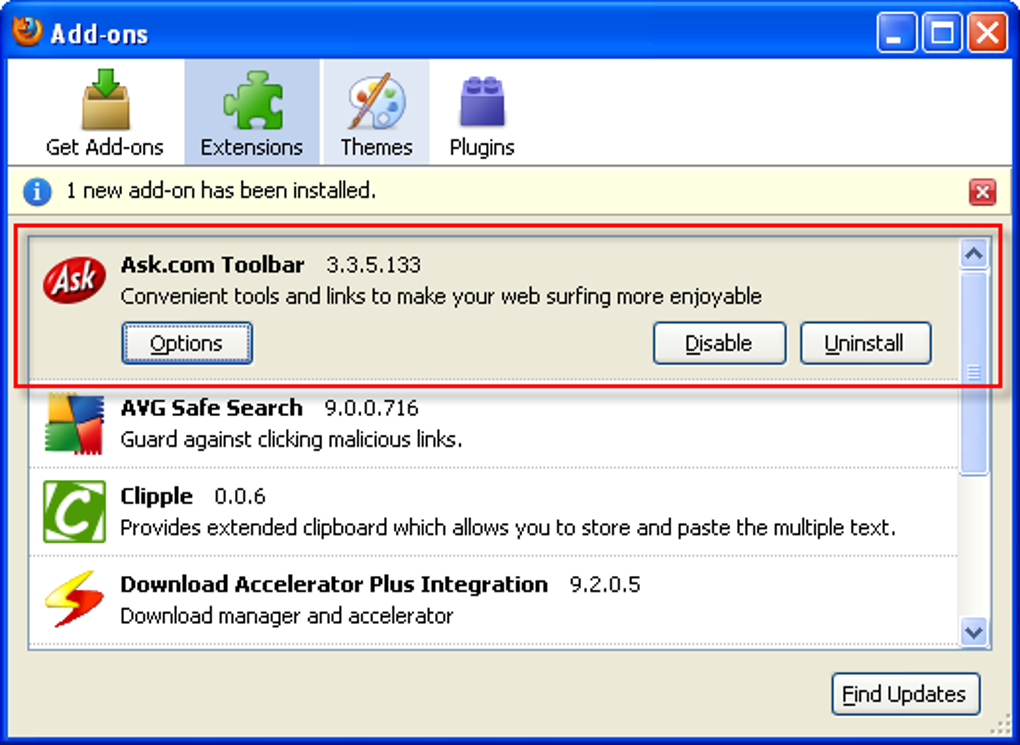
Absolutely. The toolbar can be uninstalled from the Windows Control Panel or via the browser’s add‑on management page. All settings are removed during the uninstallation process.
Does the toolbar work on the latest version of Firefox?
The toolbar is regularly updated to stay compatible with the newest Firefox releases. Check the download page for the most recent version before installing.
How do I clear my recent searches?
Click the gear icon on the far right of the toolbar and select “Clear recent searches.” You can also enable the option to automatically erase searches each time you close the browser.
Is there a paid version with more features?
No. The Ask.com Toolbar is completely free. All core features are available without a subscription, though occasional promotional offers may appear within the toolbar.
Conclusion & Call to Action
In summary, the Ask.com Toolbar offers a straightforward, lightweight way to bring Ask’s powerful search capabilities directly into your browsing routine. While it lacks support for some modern browsers and mobile platforms, its clean design, fast access to specialized search categories, and free price point make it a worthwhile addition for anyone who already relies on Ask.com for answers. Installation is quick, the interface stays out of the way, and the toolbar’s modest system footprint ensures you won’t notice any slowdown. If you’re looking for a hassle‑free method to boost your productivity and enjoy instant, filtered search results, the Ask.com Toolbar delivers exactly that.
Ready to enhance your browsing? Download the Ask.com Toolbar now and start experiencing faster, more organized searches today. Remember to keep the toolbar updated to enjoy the latest security patches and feature improvements.
Pros: Free, lightweight, customizable, secure, quick category access.
Cons: Limited browser support, occasional feature glitches, few advanced settings.







